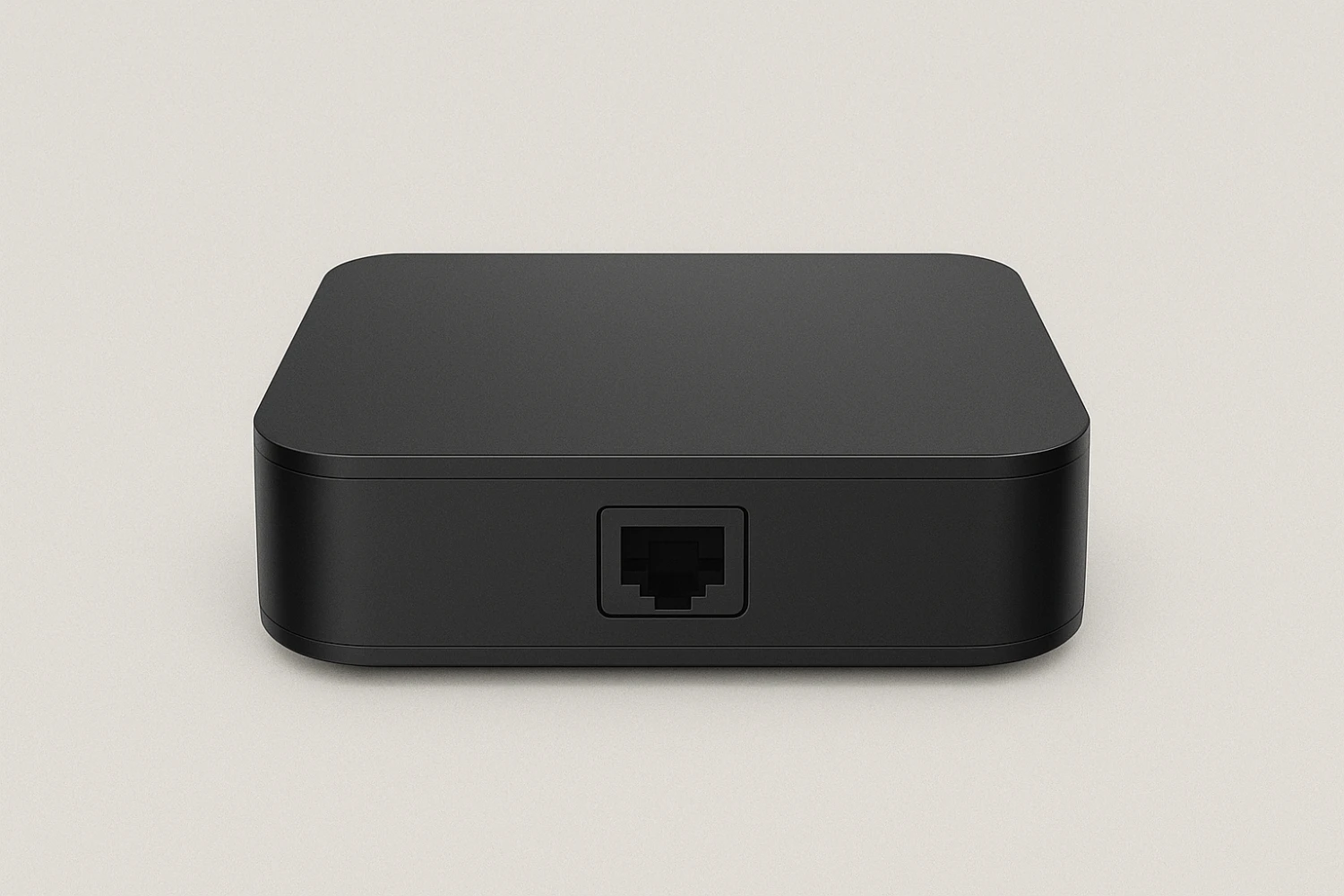
1. What is a MAG 250 IPTV Set-Top Box?
The MAG 250 is a classic IPTV box from Infomir, designed for streaming live TV, VOD, and catch-up services over the internet using Linux-based middleware. It supports:
- MPEG-2, MPEG-4, H.264 video decoding
- Ethernet + HDMI/AV outputs
- Resolutions up to Full HD (MAG 250), with newer MAG 4K models offering Ultra HD streaming
- Access to over 2400 IPTV channels, depending on provider
2. What You Need Before Setup
To use your MAG 250 (or newer 4K MAG box), you need:
- A high-speed internet connection (20+ Mbps for HD/4K)
- A registered MAC address with your IPTV provider
- A Portal URL (Stalker-based or custom) from your IPTV service
- A MAG remote control (usually included)
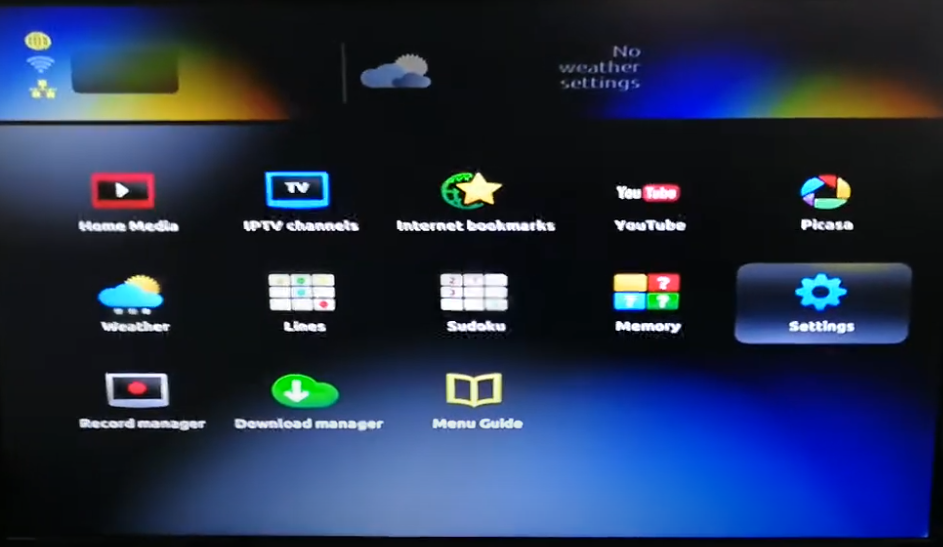
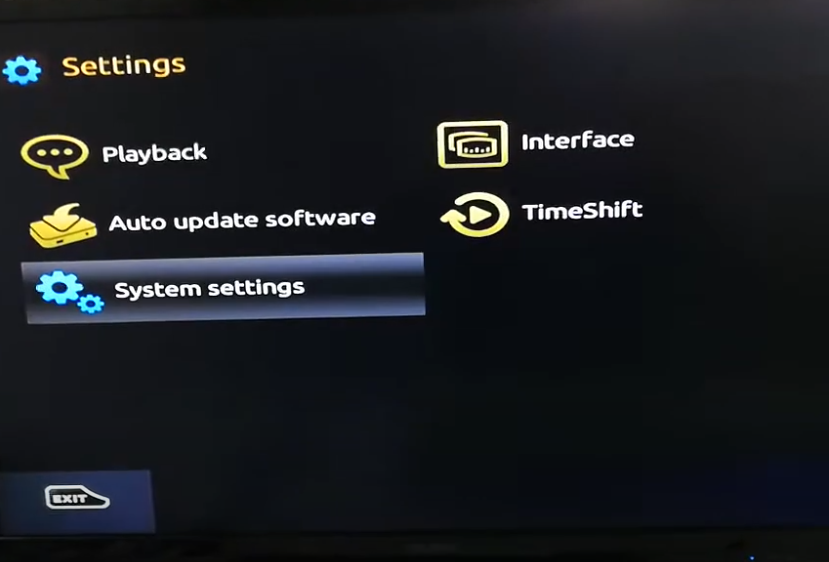
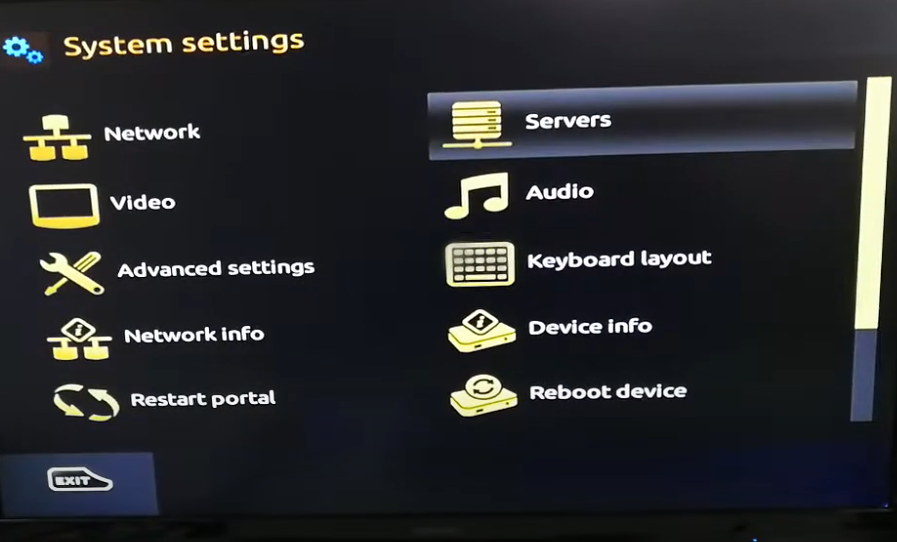
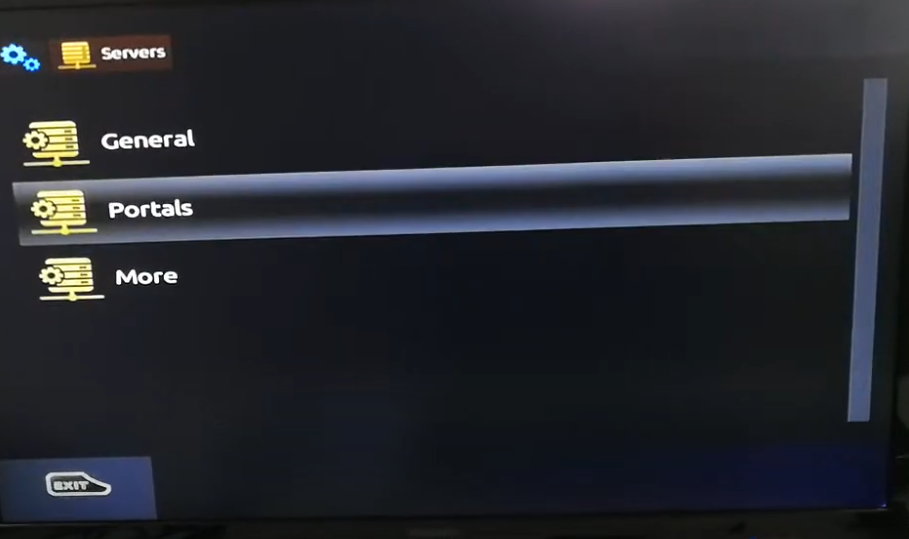
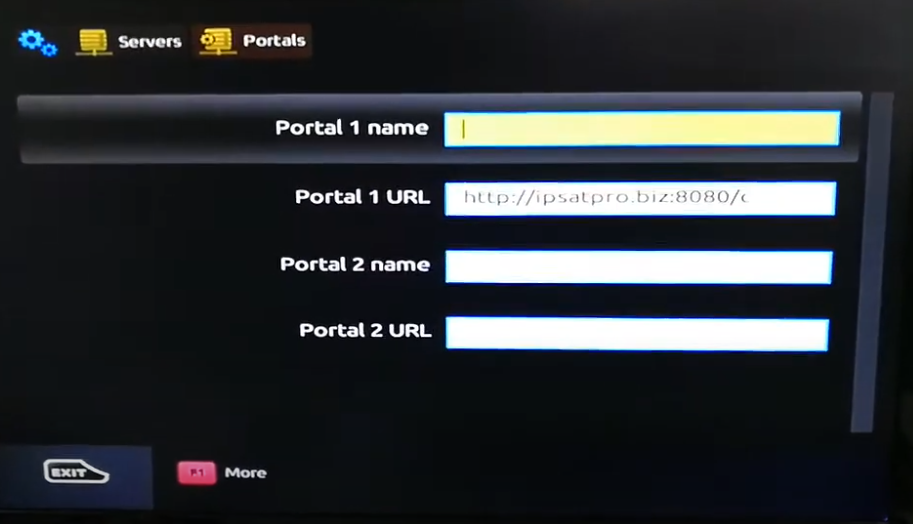
3. Setup Instructions (MAG 250 and 4K MAG Boxes)
1: Connect Your Device
- Plug the MAG box into your TV via HDMI or AV cable
- Connect the Ethernet cable (wired internet is recommended)
- Power on the device
2: Enter BIOS/Startup Settings (Optional)
- On boot, press the SET button on the remote repeatedly
- You’ll enter the System Settings (use this if boot issues occur)
3: Configure the IPTV Portal
- Go to Settings > System Settings > Servers > Portals
- In Portal 1 Name, enter a name (e.g., “My IPTV”)
- In Portal 1 URL, enter the URL from your IPTV provider (e.g.,
http://yourprovider.link/c/) - Save and reboot the box
Your MAC address (starts with 00:1A:79) must be registered with the provider beforehand. This is usually found in the System Info section.
4. Watching Channels
Once the box restarts:
- It will load the portal and display a menu of Live TV, Video on Demand, Radio, etc.
- Use the remote to browse channels, watch EPG, or access settings
- You can typically access 2400+ channels, depending on your provider package